Table Mate allows users to choose how they receive notifications. It also enables users to manage promotional notifications by choosing the restaurant(s) from which they want to receive notifications.
How to Change Notification Settings
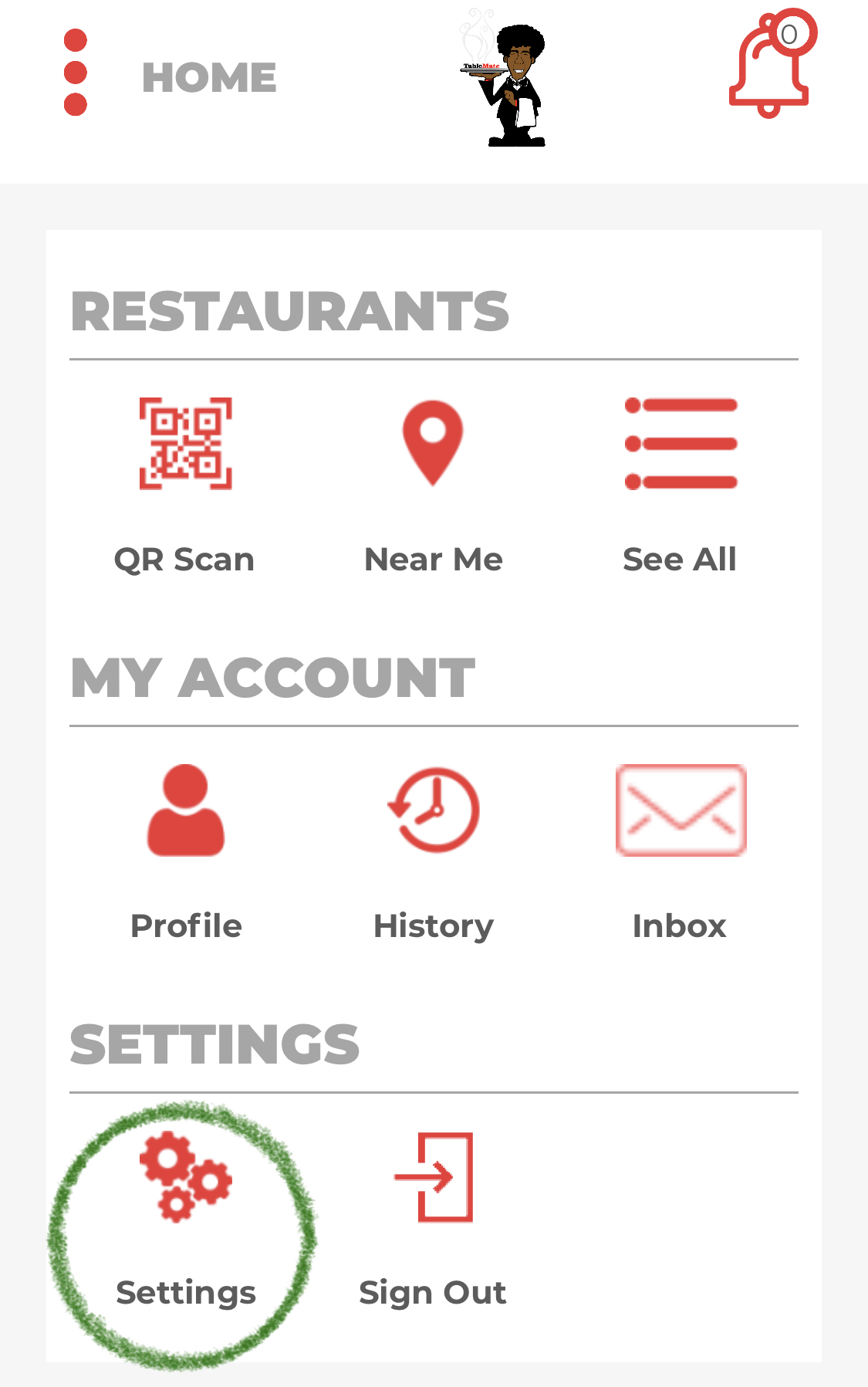
1.Click on the Settings icon on your Home Page.
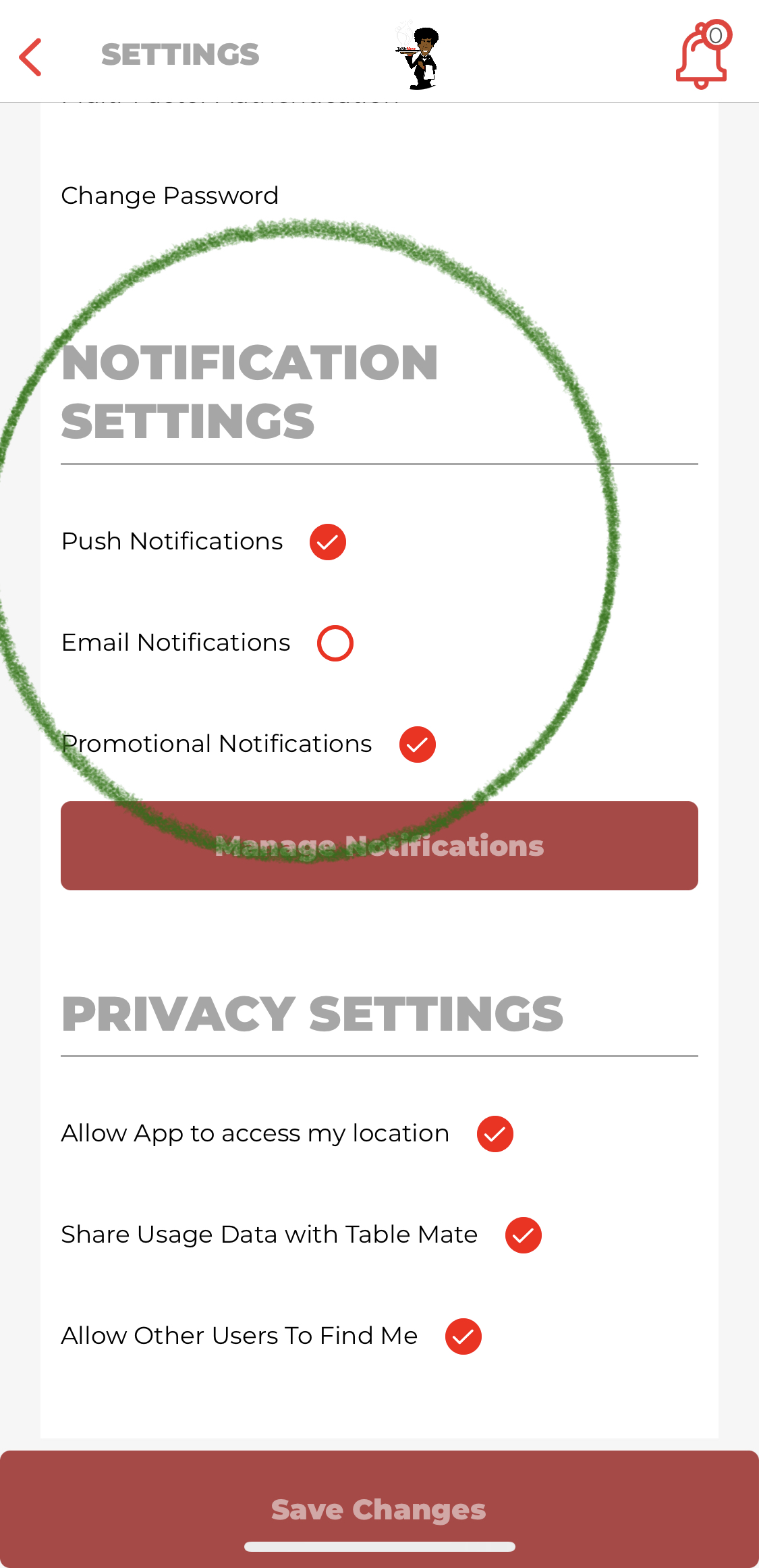
2.Under Notification Settings, check/uncheck the ways in which you would like to receive notifications.
Managing Promotional Notification Settings
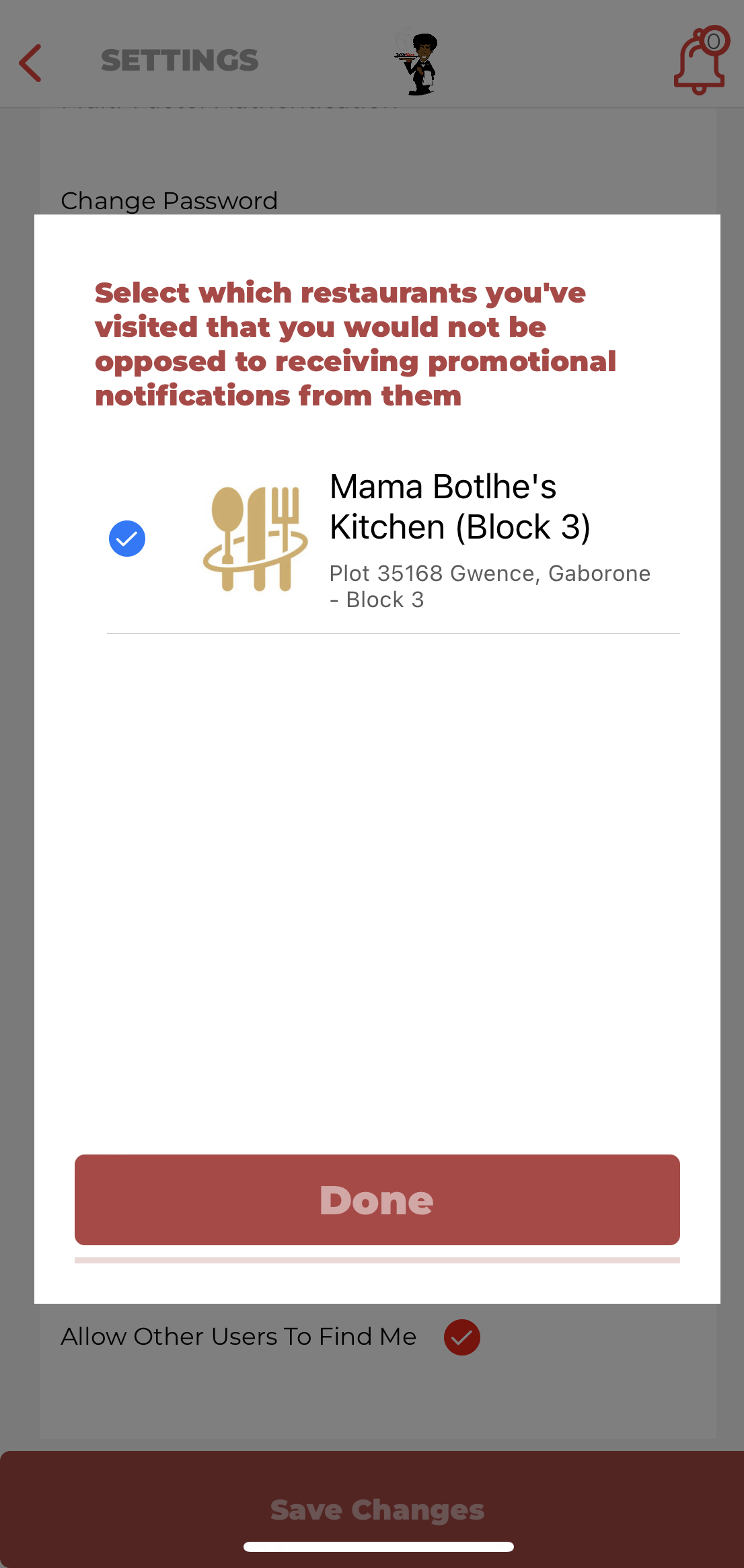
1. If you have Promotional Notifications enabled, click on Manage Notifications in order to select the restaurant(s) from which you would like to receive notifications and once satisfied tap the Done button.
For any questions/concerns please feel free to contact Table Mate Support - Contact Us
Comments