To change your Table Mate account's email address, navigate to the Settings section on the Home screen, then press "Settings" button with the cogwheel icons. Navigate to the email field, update it, and save! This needs to be a unique email address, if another user uses it, you will be unable to.
Step by Step: How to Change Account Email
- Click on the Settings icon on your Home Page.

User Homepage Screen with Settings Icon Highlighted
- Once in Account Settings, click on the email field.
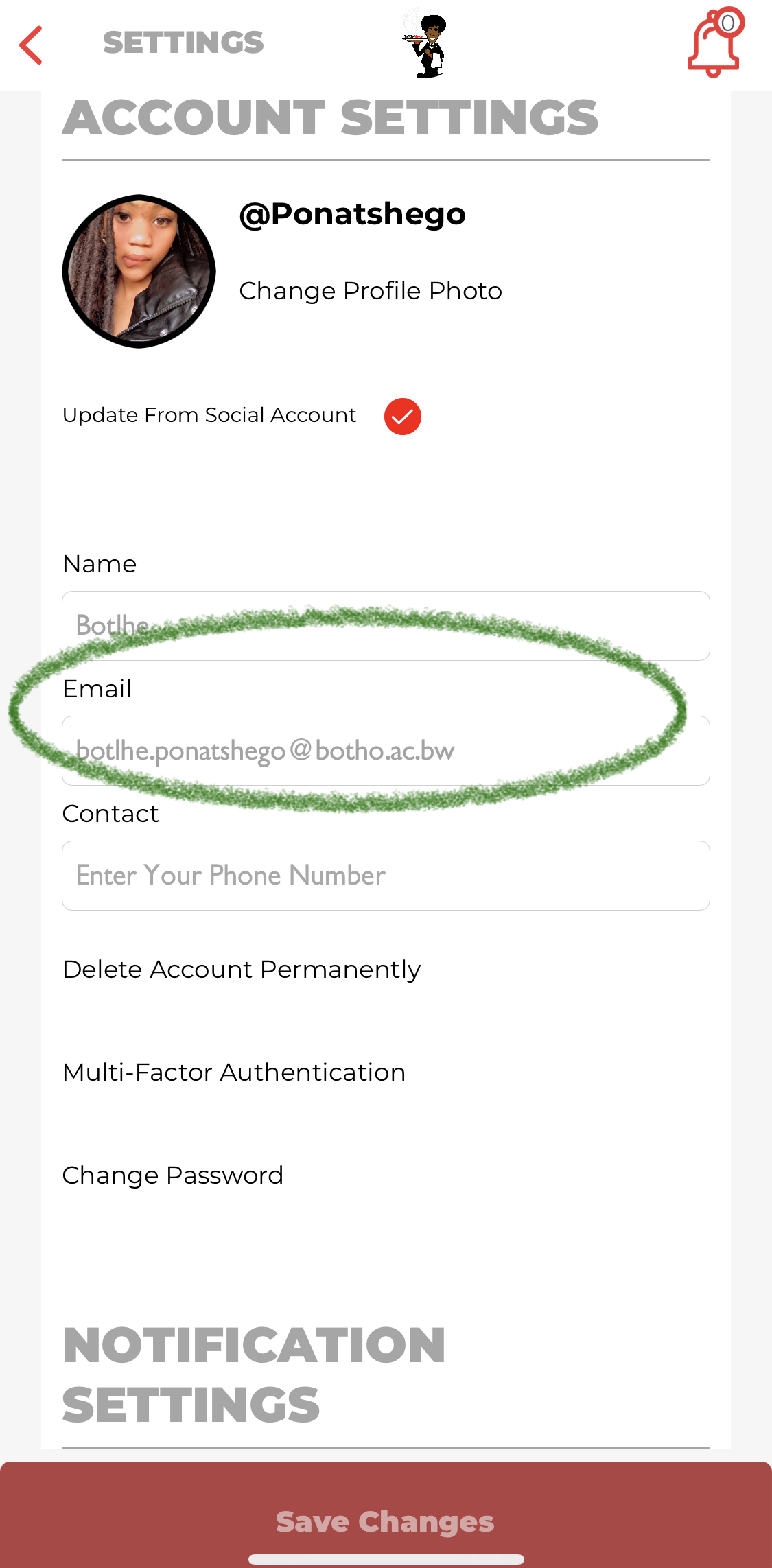
Account Settings Screen with Email Field Highlighted
- Delete the existing email address and insert your desired address in the same field.
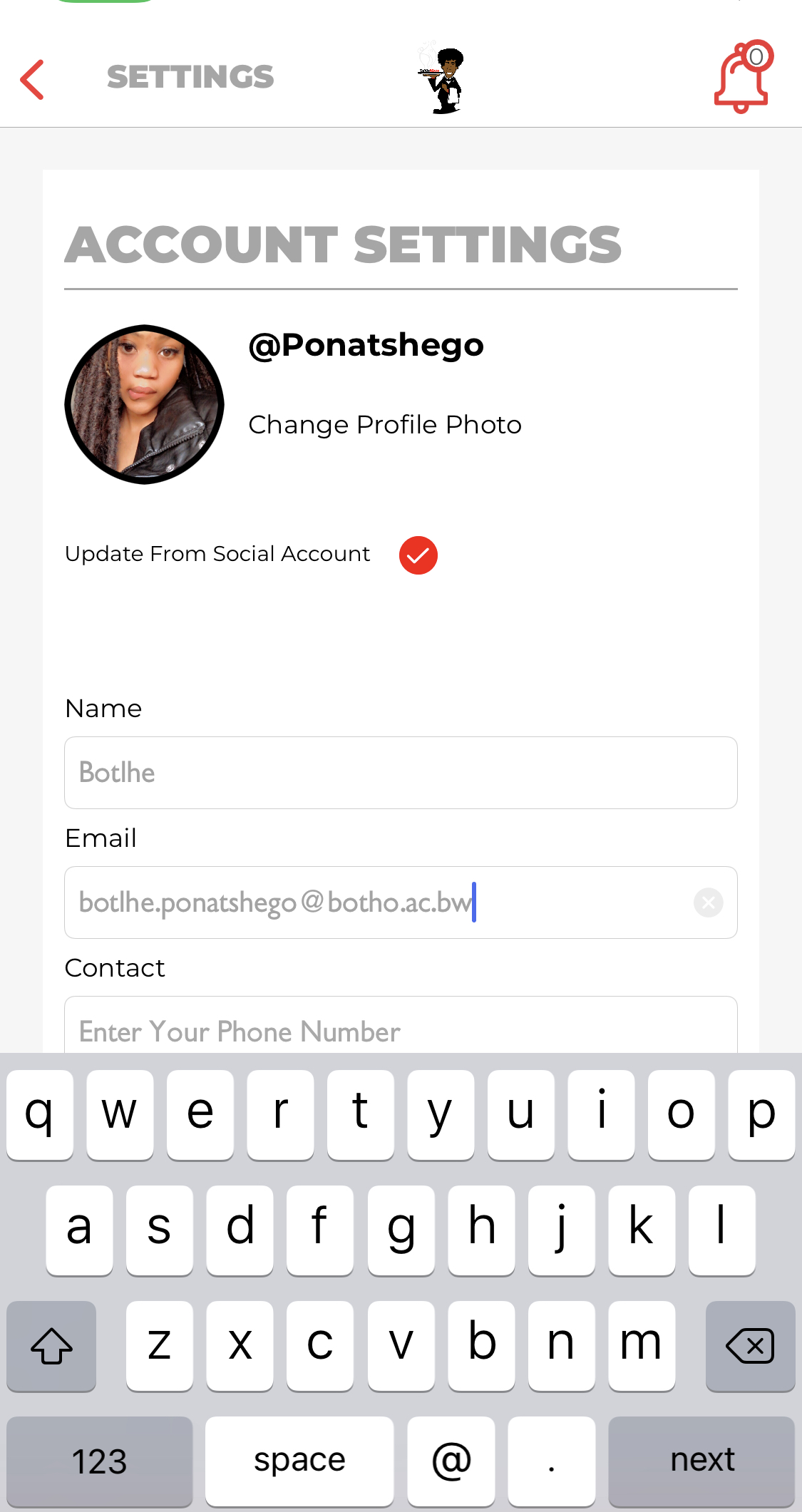
Account Settings Screen with Updated Email Field Highlighted
- Save Changes
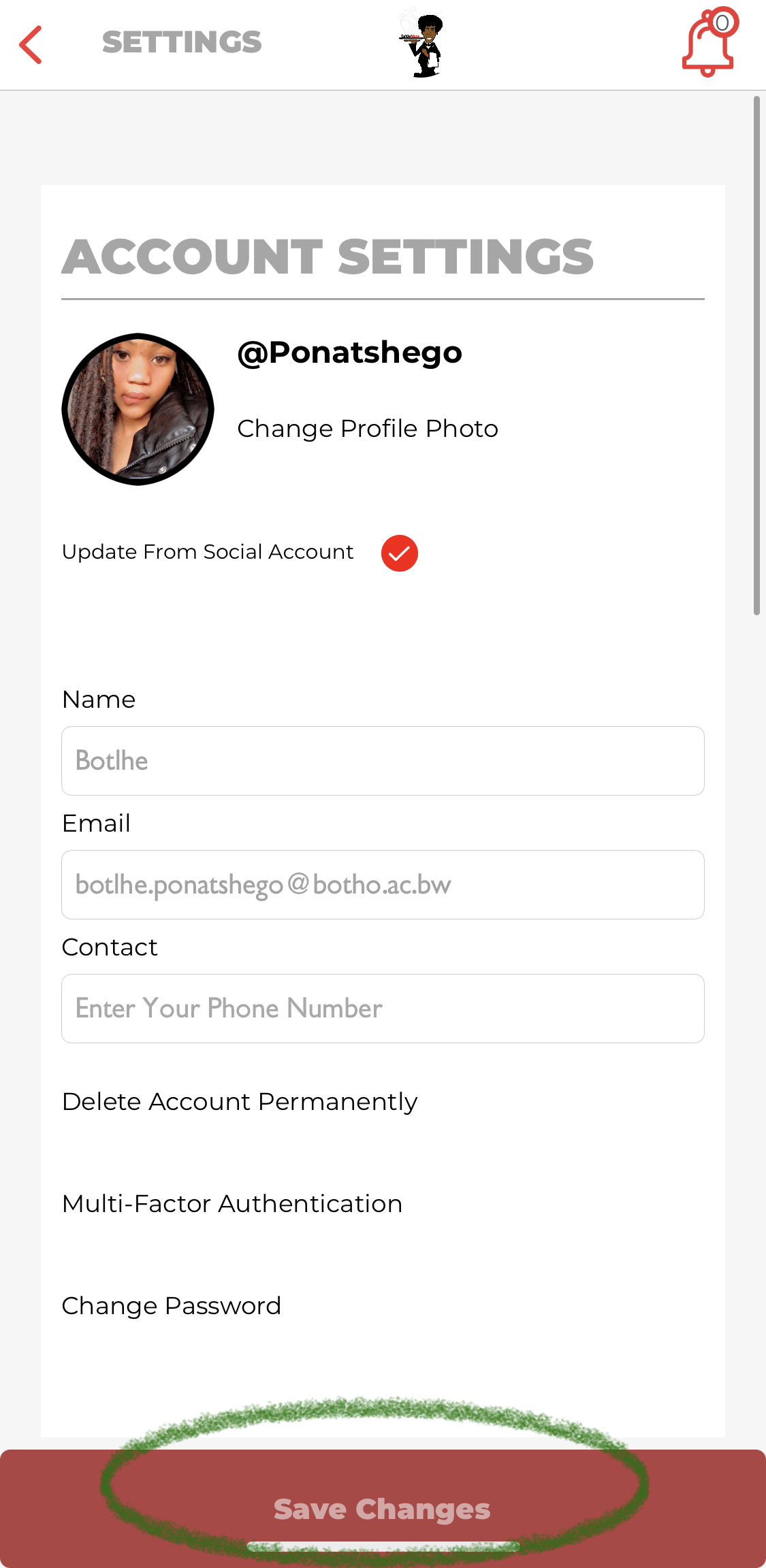
Account Settings Screen with Save Changes Button Highlighted
For any questions/concerns please feel free to contact Table Mate Support - Contact Us
Comments